Plan the visit
Create daily or recurring tasks, assign your cleaners and organise each site’s roster. Client requests join the task list for your team to assign.
CLEANING OPERATIONS, CONNECTED
Built around the way your team works. Bring schedules, on-site updates, client requests and clear records together, so every visit has a plan and every client stays informed.
Built for commercial cleaning teams and the sites they care for.
A SIMPLE ROUTINE. A SHARED RECORD.
Create daily or recurring tasks, assign your cleaners and organise each site’s roster. Client requests join the task list for your team to assign.
Scan an area QR code and sign in to open assigned work. Mark the visit complete, add photo evidence, or record why a task could not be finished.
Follow daily progress, review monthly reports and export clear records. Clients see their assigned sites and the details you choose to share.
THE WORKSPACE
A 40-second look at MopTrack: the app in the field and the workspace at the desk, from ticked-off jobs to rosters, quotes, stock and reports. Site, client and staff names are examples.
Video not playing? Open the video
DIFFERENT PLACES. ONE CONNECTED WORKFLOW.
Bring everyday cleaning tasks, teams and records together across the places you manage.
LESS CHASING. MORE CLARITY.
From the people doing the work to the people relying on it, everyone gets a view that fits their role.
Define additional cleaning jobs with a clear scope, fixed or hourly pricing, minimum hours and availability by site.
Managers attach the client’s approval and confirm the agreed scope and price before raising a pre-build job.
Keep cleaner assignments tied to site access, so work goes to people permitted to work at that building.
Archive tasks and sites while retaining records and photos, with the option to restore them when needed.
Create daily tasks, repeat visits automatically and organise staff rosters by site.
Link cleaner names to their sign-in email, keeping account access and roster assignments connected.
Clients choose an area, add a location and send a cleaning request into the team’s task list.
Create and print QR codes that open an area’s assigned visits after sign-in.
Add completion photos and comments, or record why work could not be finished, so managers have a clear record to review.
Keep management, cleaners and clients in separate views, with permissions and access set by site.
Cleaners record what they use and receive. Managers can see what’s running low, where it’s stored and how much each site used over the month.
Scan a shelf label to open a stock record, or scan an equipment tag to check its status and history.
WHAT’S NEXT FOR MOPTRACK
Connect your billing workflow with your accounting software.
Bring your cleaning operations and client billing together. Planned accounting integrations will let you prepare invoices directly from your MopTrack workspace for ongoing contracts, pre-built services and individually quoted jobs.
From regular monthly contract billing to periodic deep cleans and additional work, keep agreed pricing, service details and completed job records connected. Pass invoice details to your accounting software to reduce duplicate entry and make billing easier to manage.
Planned integrations. Availability and supported features will vary by platform and region.
FOR REAL ESTATE AGENTS & PROPERTY MANAGERS
Coordinate cleaning with your cleaning company in one shared workflow. Give each property a clear brief, follow the work and keep the result with the right apartment and visit.
Agents see their assigned properties. Your administrator controls access to requests, progress, reports and task details.
STEP 1 OF 4 · AGENT VIEW
Illustrative interface and sample data. Photo cards represent attached images. No live requests are sent.
Use site names, addresses and apartment details to keep each request tied to its location.
Send the requested date, scope and reference photos to your cleaning company in one request.
See daily progress across your assigned properties while the cleaning company manages staff assignments.
Prepare a report with completion details, comments and selected photos to share with an owner or client.
Follow a floor clean at Banksia Offices through four sample screens.
| Number | Client reference | Status | Total USD |
|---|---|---|---|
| Q-042 | WO-871 | Approved | $452.00 |
| Quantity | Client rate | Supplier unit cost |
|---|---|---|
| 5 hours | $80.00 | $50.00 |
| Number | Supplier | Status | Total USD |
|---|---|---|---|
| PO-018 | Sample Floor Care | Sent | $270.00 |
| Currency | Subtotal | Tax | Total |
|---|---|---|---|
| USD | $250.00 | $20.00 | $270.00 |
CLEAR RECORDS. INFORMED CLIENTS.
Review service delivery, client work, purchasing and site inventory. Choose a report to see what it includes.
Select a report to explore what’s included.
PRE-BUILD REPORTS
Select a site and completion dates to create an itemised record of additional work. Use daily or monthly reporting, or adjust the date range to match your invoice.
Download a CSV or use Print / PDF to prepare your report for sharing.
Hourly jobs automatically include the accepted minimum charge. Enter longer hours to update the total.
Sign in to explore reports
MOPTRACK FOR IPHONE
Your cleaning day, in your pocket.
Easy access for cleaners, a clear view for managers and simple requests for clients. Bring your daily work together in the MopTrack app.
Sign in to your workspaceSign in and choose your job, or scan the area’s QR code.
Check the location and scope, then update the job as you work.
Add photos or comments and mark the visit complete.
Keep the team informed as the day progresses.
SEE MOPTRACK IN ACTION
A 30-second look at MopTrack: daily jobs, live progress, reports, stock checks and equipment alerts. Site, client and job names are examples.
Video not playing? Open the video
Open MopTrack on your phone and sign in to reach your sites, jobs and daily progress.
Stay informed about new work, cleaning requests and job updates, wherever your day takes you.
See what needs doing, open the job details and update your progress as you go.
Scan an area’s QR code to open the right visits without searching through your job list.
Add photos and comments, mark work complete or explain what needs a follow-up.
Clients can send a cleaning request with an area, location and description, then follow its progress.
Site, client and job names are examples.
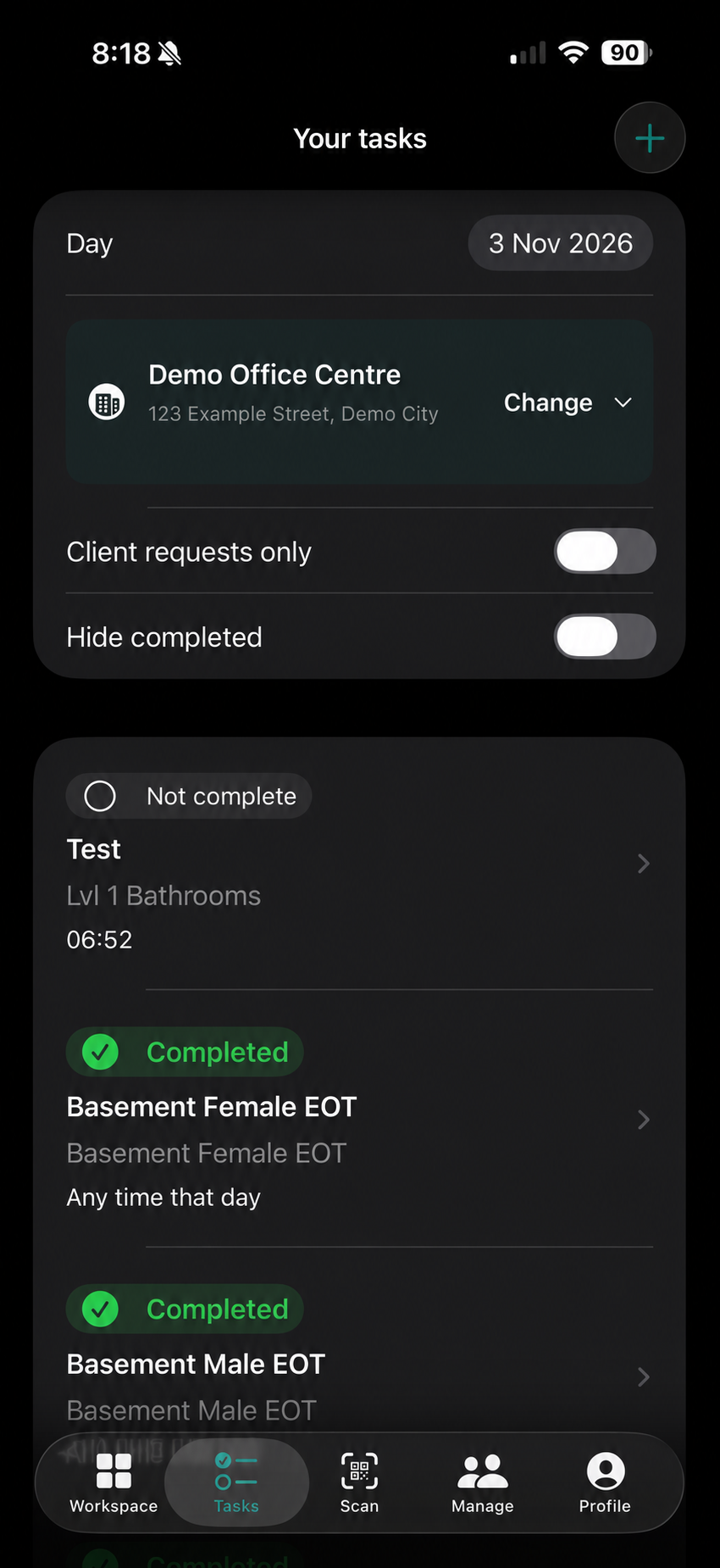
Choose a site, view your work and keep client requests in easy reach.
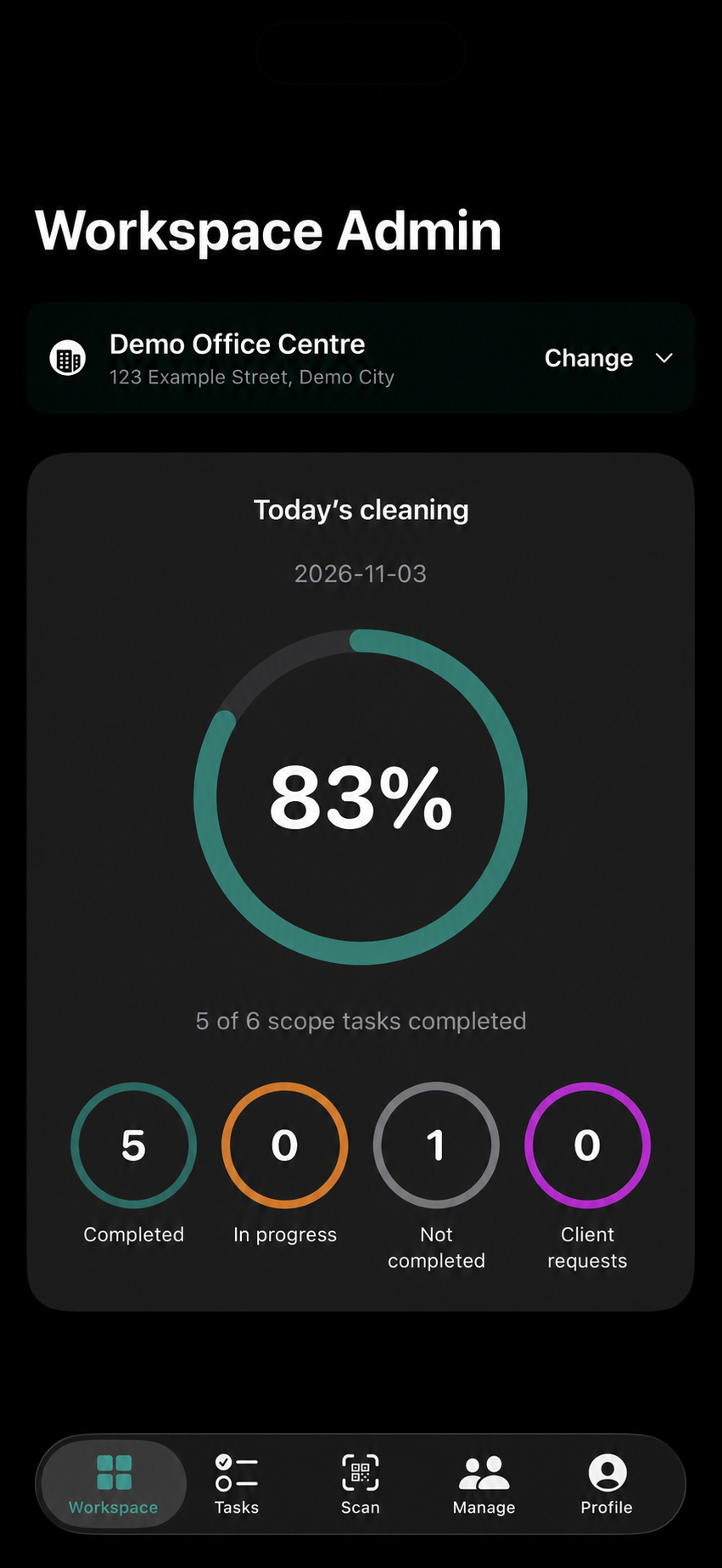
Choose your building and see today’s cleaning progress at a glance.
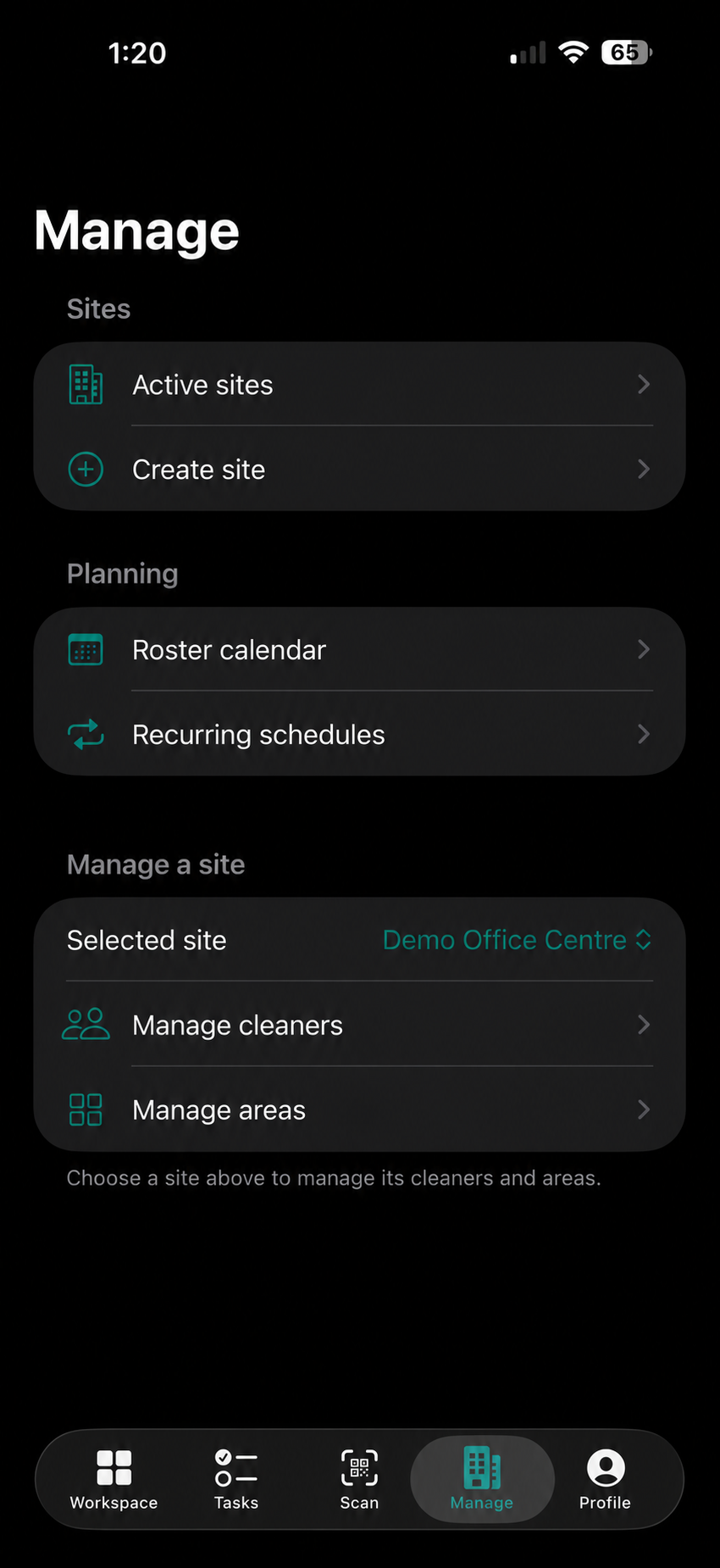
Access sites, rosters and recurring schedules from one place.
7-DAY FREE TRIAL · SIMPLE MONTHLY PLANS
Every plan starts with a 7-day free trial for new customers. You’ll enter a card, but nothing is charged until the trial ends, and you can cancel any time before then. One monthly fee in US dollars, plus applicable sales tax, after that.
US$24/ month
Up to 5 users
For small cleaning teams.
US$45/ month
Up to 10 users
For a growing cleaning team.
US$69/ month
Up to 15 users
For larger cleaning operations.
Let’s talk
15 or more users
For organisations needing a tailored plan.
Every account counts towards your user limit, including cleaners, managers, admins and customers (clients). Enterprise includes all features, with custom pricing for 15 or more users.
GOOD TO KNOW
Use the MopTrack iPhone app to access your jobs, scan area QR codes and record updates. You can also sign in through a web browser. Your role and assigned sites determine the work you can access.
Clients see only their assigned sites, can request additional cleaning, and can review progress and reports. Administrators choose which task details, cleaner names and notes are visible.
The cleaner marks the visit incomplete and records a comment, giving the team a clear reason to follow up.
Management can archive tasks and restore them later. Admins can also archive an entire site, pausing its recurring schedules while keeping records and photos. Archived tasks and sites are hidden from clients.
Simply choose a plan and subscribe. Once your payment is complete, we’ll email you an activation link. Follow the link to activate your administrator account and access your workspace.
Workspace admins can manage subscriptions directly within the app, with options to upgrade or downgrade their plan, adjust the number of users as their team changes, or cancel their subscription.
MOPTRACK
Simple updates for your team. A clearer picture for your clients.
Sign in to your workspace